
Keep in Mind...
- Access Level: Advisor, Publisher, Administrator
- This article is intended for users with Advisor, Publisher, or Administrator access in Suitable. If you don’t have one of these roles, some of the steps outlined below may not be available in your account.
- Ineligible Roles: Student, Contributor
- Note: You will need to manually sync your content at the beginning of each semester.
- This process should be completed anytime an assignment has reached its due date, or when completions in Suitable need to be synced with the Blackboard gradebook.
Before we begin...
Navigate to your Blackboard site.
1. Within your course, navigate to the Content tab and choose 'Build Content' at the top.
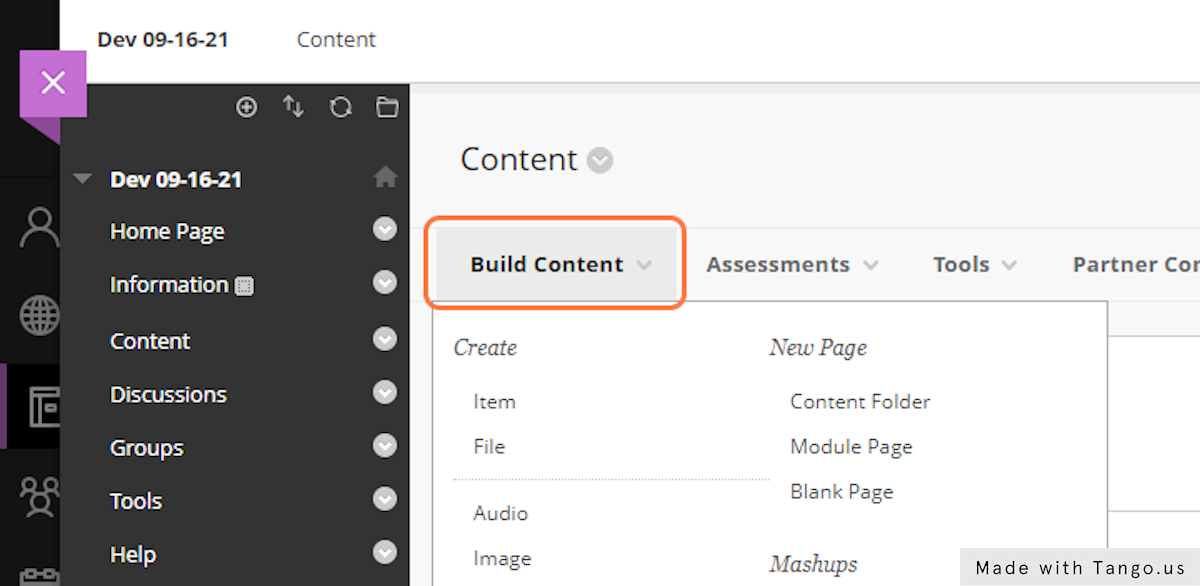
2. Find the Suitable Course Builder and click into the tool. You will be taken to the course builder within Suitable.

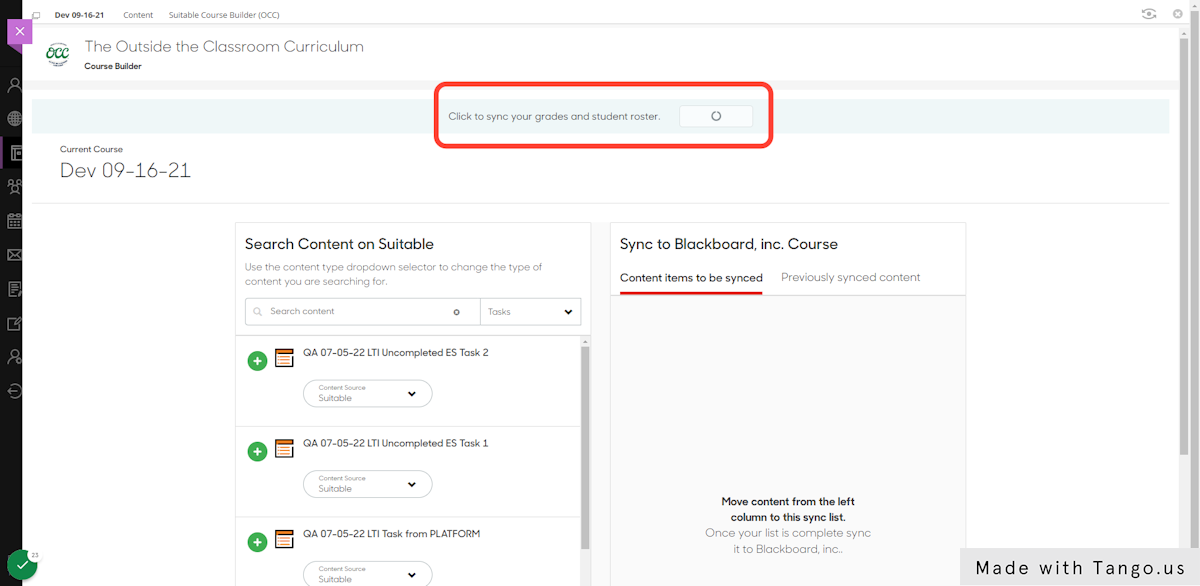
3. At the top of the page, click the 'Sync Grades and Roster'.
You will receive an email once the sync has successfully completed.
If you have additional questions, chat with us below or send us an email at support@suitable.co.
Comments
0 comments
Please sign in to leave a comment.